 
     |
| How to lossless convert DVD to another format in 2020? (Page 2/3) |

|
TheDigitalAlchemist
|
DEC 17, 06:56 AM
|
|
|
Thanks for the replies and suggestions.
|
|
|
|
theBDub
|
DEC 17, 07:45 AM
|
|
I wouldn’t worry too much about “lossless” with DVDs, as they’re fairly terribly compressed. I always used DVDFab to rip (and burn) discs. Super easy to do.
Long-term, you’ll get better performance from streaming or Mlu-rays. You can also create a media server to watch all of your rips at high fidelity using Plex.
|
|
|
|
TheDigitalAlchemist
|
DEC 17, 01:00 PM
|
|
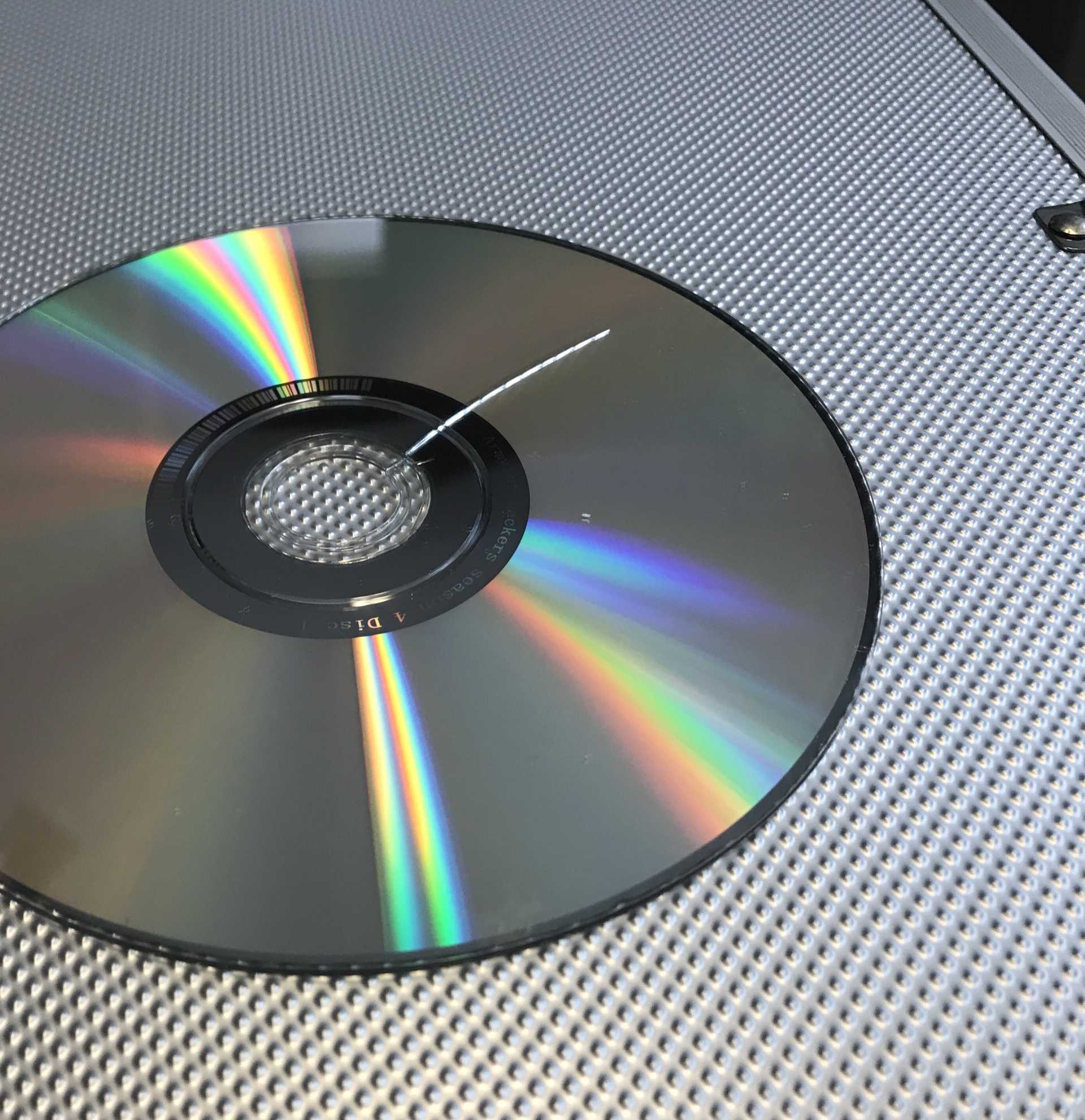 I thought there was more copy protection on DVDs, you can just copy the data off and play the .VObs? I thought there was more copy protection on DVDs, you can just copy the data off and play the .VObs?
Got myself a DVD of a show that I like, was going to copy them so I can watch them during my commute. one of the DVDs was cracked. Package was fine, wrapped even.
I’m tired.[This message has been edited by TheDigitalAlchemist (edited 12-17-2020).]
|
|

|
Patrick
|
DEC 17, 02:03 PM
|
|
| quote | Originally posted by TheDigitalAlchemist:
I thought there was more copy protection on DVDs...
|
|
It's because of the copy protection (Macrovision) implemented on commercial DVDs that you simply cannot "drag and drop" as suggested by another member. The ripping program will bypass this copy protection.
| quote | Originally posted by TheDigitalAlchemist:
...you can just copy the data off and play the .VObs?
|
|
Because it's been so long since I've ripped a DVD, I forget the finer details... but what you want to have the ripper program do is take those multiple VOB files (which are all MPEG-2) and "repackage" them as a single large MPG file that your computer can easily read/play off the hard drive.
Important to note (again!) that to retain the original video image quality, the files are not to be transcoded and/or re-compressed. You want the original MPEG-2 files in a different "container".
You'll know the ripping is being done properly when it occurs basically as fast as a file transfer. It's the transcoding/re-compressing of video files that takes a lot of time, and you don't want that.
It sounds complicated, but it's actually pretty simple when the program is open in front of you and the options are presented.[This message has been edited by Patrick (edited 12-17-2020).]
|
|
|
|
Cliff Pennock
|
DEC 17, 04:30 PM
|
|
|
Last time I did this I used makemkv. Just pop in a DVD and out comes an MKV file. Fast and easy. It used to be free - not sure it still is.
|
|
|
|
Jonesy
|
DEC 19, 02:43 PM
|
|
| quote | Originally posted by Patrick:
I haven't ripped a DVD for years. There used to be no shortage of free DVD ripping utilities available to download. Is that not still the case? Have a look Here.
Whatever program you use, select the option(s) that don't convert/ transcode/ re-compress the files.
|
|
Get a trial copy of Nero. You can just copy the disk as an ISO file, then use Nero to mount the ISO as if it was a normal DVD and then just use whatever media player you want to use to play it.. Pretty sure the default windows media player will play mpeg2..
Or download one of the many converter programs that will convert the mpeg to usually .avi or .wmv, which aren't very compressed, at least less so than the original mpeg2 format your converting.[This message has been edited by Jonesy (edited 12-19-2020).]
|
|
|
|
Patrick
|
DEC 19, 03:36 PM
|
|
| quote | Originally posted by Jonesy:
You can just copy the disk as an ISO file, then use Nero to mount the ISO as if it was a normal DVD and then just use whatever media player you want to use to play it.
|
|
That's a very good option which will not alter the original MPEG-2 files whatsoever.
| quote | Originally posted by Jonesy:
Or download one of the many converter programs that will convert the mpeg to usually .avi or .wmv, which aren't very compressed, at least less so than the original mpeg2 format your converting.
|
|
That's a lousy option. 
|
|
|
|
theogre
|
DEC 19, 07:15 PM
|
|
You can find many tools at http://www.videohelp.com/ like HandBrake etc.
Ignoring is illegal in the US and some others even to Rip disc w/ DRM that most commercial DVD and Blu-ray have...
Ripping 1 DVD w/o more compression eats 6 to 9 GB if you rip all of "files" on a disc. Even only the main movie often eats 5+gb. (Most are 1 side 2 layer disk w/ ~ 9GB max.)
Unless all your devices have big screens you won't see an "uncompressed" DVD quality vs most rips no matter hype pixel count on a phone or tablet. Even most desktops w/ 22" to 30" screens can't tell the diff.
DL a movie is good when can't be on net to view but DL huge files can hurt many devices. SSD and others Need a lot of "free space" to run right and last a long time. Worse, SDcard and related doesn't have Trim, wear leveling, etc. that SSD have. "Cheap" media may have somethings to help wear problems but very little and easy used up fast.
Related, Ras Pi etc uses SDcard as Boot Media and they often wear out the Flash too. Is why many disable "Swap File" etc. but even that only helps a bit for many users.
Many files systems are still restricted on max file size and why most movies have several 1.00 GB (1,073,741,824 bytes) VOB files on a DVD.
FAT(Really FAT16) & FAT32 is still used by many Flash types and both have size limits.
Newer ExFAT used by SDXC does not have 2 - 4gb file size limits but is still not supported by many devices. Is part of why many 16GB and bigger "Thumb Drives" still are formatted w/ Fat32. (Unless MS stopped charging License Fees, that is another reason many won't format or handle ExFAT.)
see https://www.ntfs.com/ntfs_vs_fat.htm
(CD DVD formats have file size limits too but not important here.)
IOW You may have 1 file > 2 - 4gb file size limits on a Windows or Linux machine and fail to copy that to other Flash Media. Because NTFS ExFAT and related can handle huge files but others Can Not.------------------
Dr. Ian Malcolm: Yeah, but your scientists were so preoccupied with whether or not they could, they didn't stop to think if they should.
(Jurassic Park)
The Ogre's Fiero Cave
|
|
|
|
ls3mach
|
DEC 20, 11:57 PM
|
|
|
Downloading honestly takes me less time than ripping. I like ISO though.
|
|
|
|
htexans1
|
DEC 21, 08:45 AM
|
|
www.dvdshrink.com
This old stalwart decrypts and creates an ISO for you. just press a few buttons and let it fly.
You can also make DVDs with it too.
free.
The ISO is unchanged in any way at all. Use VLC for watching it. 
"Google "dvdshrink" for many legitimate download sites to get it. again its free.[This message has been edited by htexans1 (edited 12-21-2020).]
|
|
|
