
 
     |
| Changing color of climate control with a 3D printer (Page 2/2) |

|
Riddick85
|
OCT 15, 11:36 PM
|
|
The stock one is just a thin sheet about .5mm thick. Mine is about 1mm thick but it fits just the same. There is a clear plastic piece behind it that has an orange spot that needs to be removed with some acetone but then just throw an LED in and its the new color.
Clear plastic inside the climate control
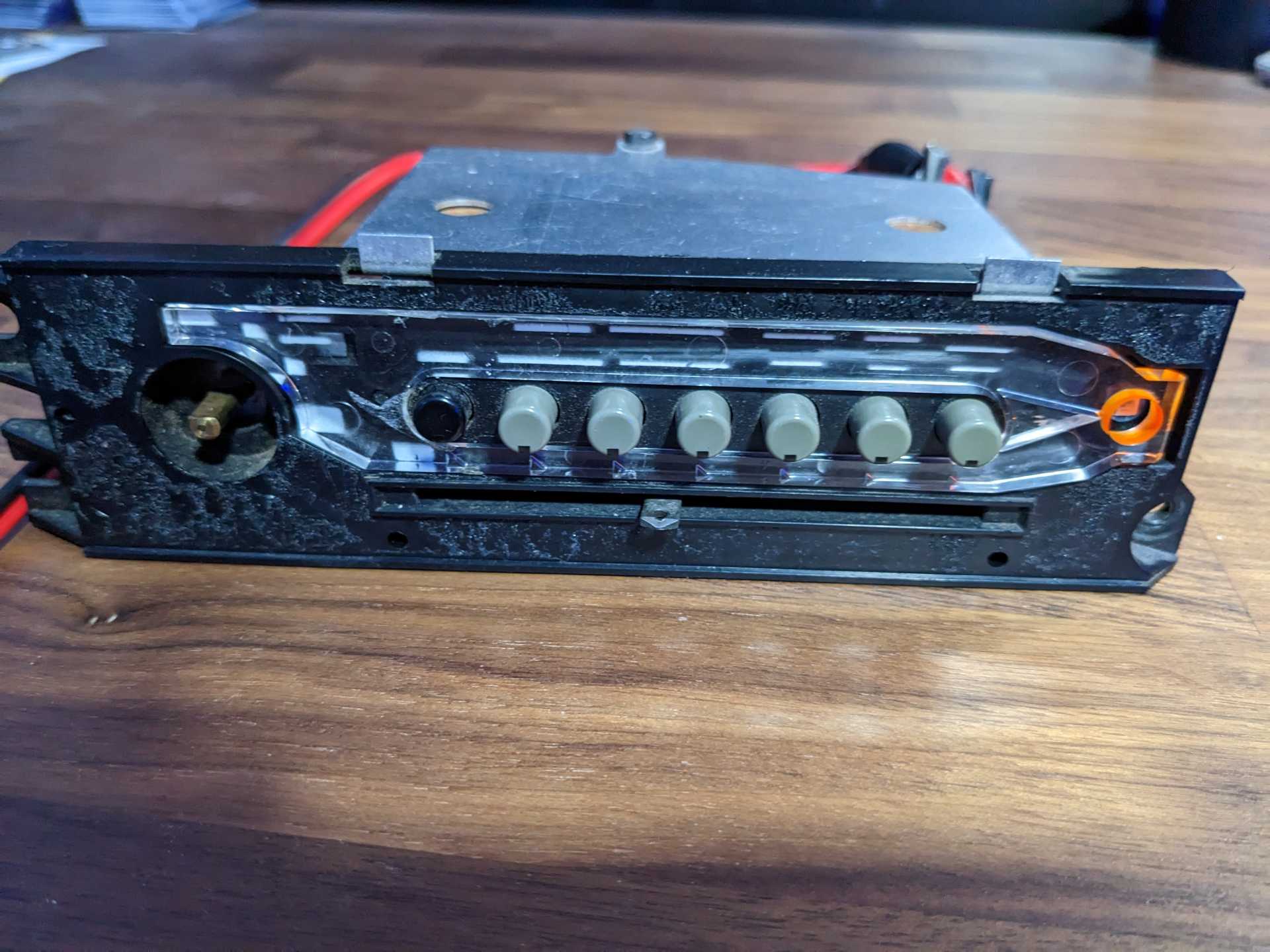
Orange spot is just paint on the plastic in the hole and the LED sits there
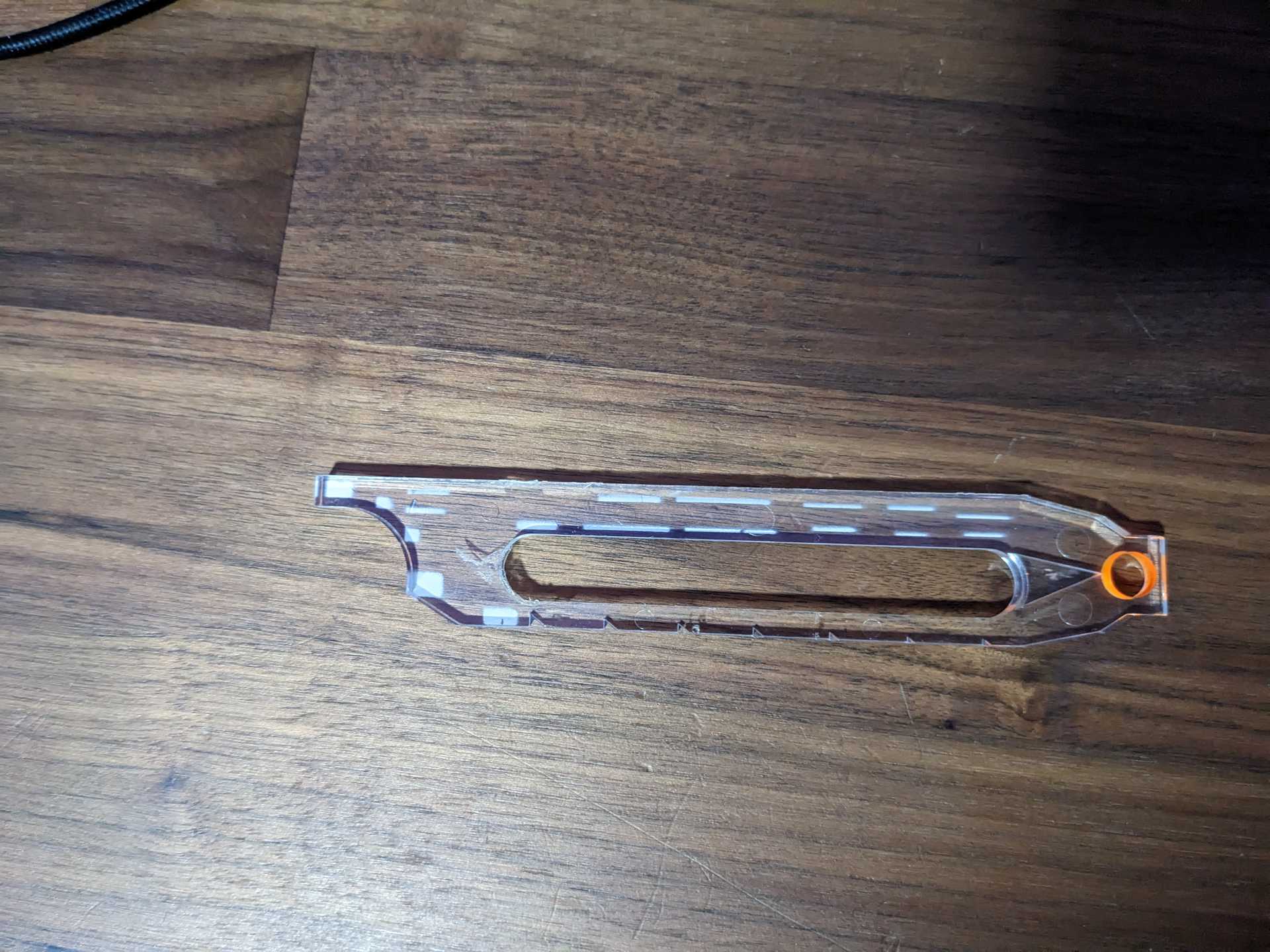
|
|
|
|
underdog32
|
MAY 03, 11:25 PM
|
|
| quote | Originally posted by Riddick85:
I am finally back to working on my car after a 3-4 year break because life happens but I picked up a new hobby, 3D printing. Anyway, I tried to do this something like 8 years ago with colored transparency paper and a regular printer but it never came out well. With a 3Dprinter, I can make any shape I want so I tried my hand at an old project. I tried to update it to a more modern look and I think I did an alright job. Looking for critiques that I could change to make it better.


The panel is made with 3 colored plastics since I have a color changer on my printer. Main body is black and 6 layers thick. 2 layers of white for the icons and 4 layers of clear under the icons. All the plastic is ABS so I wont have to worry about it melting in the heat of summer but I haven't tested that yet either. It is made so I can change the bulb to any color led I want and it would shine through that color and I obviously like blue.
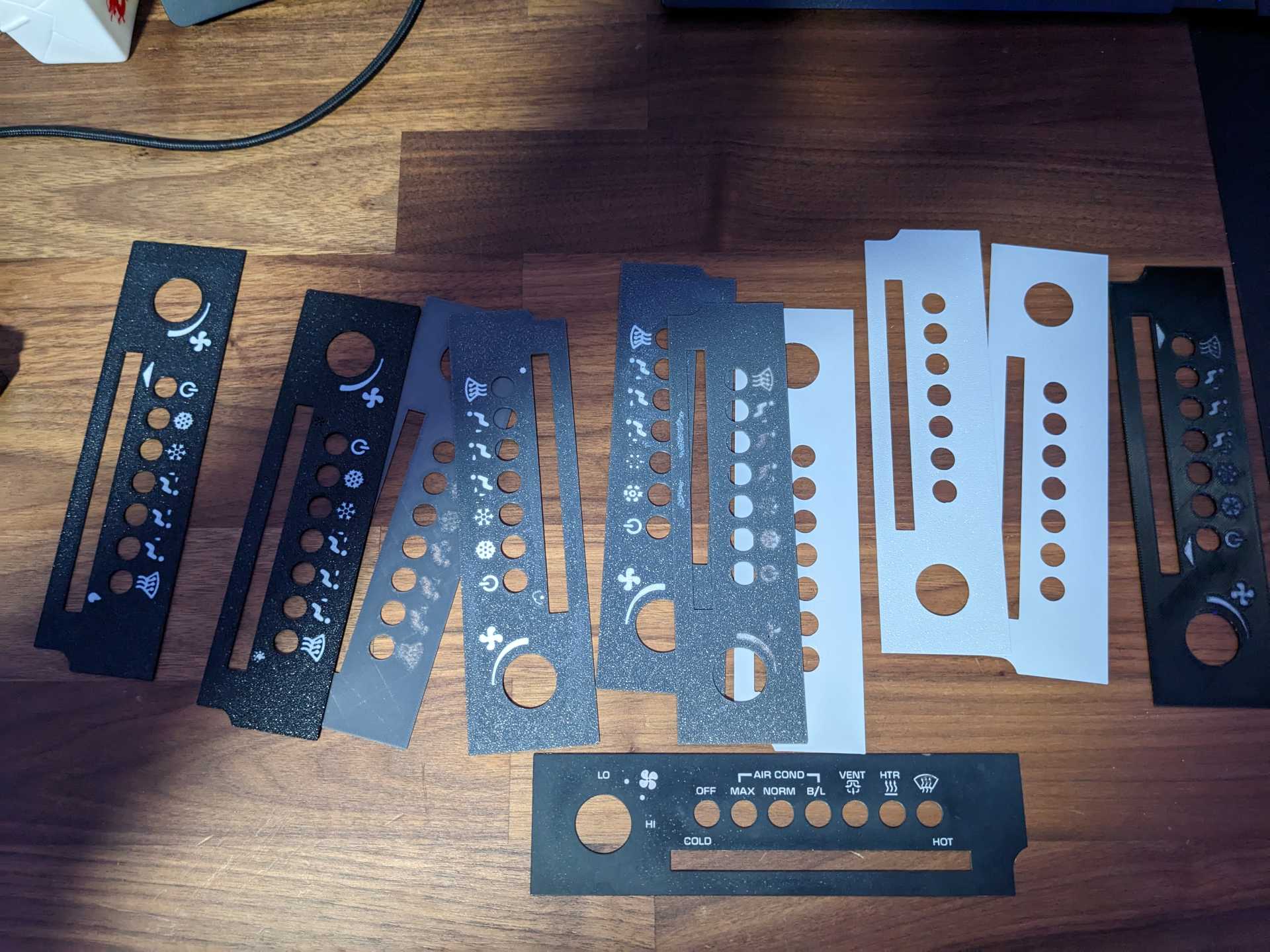
There were many trial runs to get it right but I think it came out good in the end.
|
|
Did this project go anywhere? I'm looking to change mine to blue too. We're you going to sell these? If not, would you mind sharing the stl so I could print one for myself?
|
|
|
|